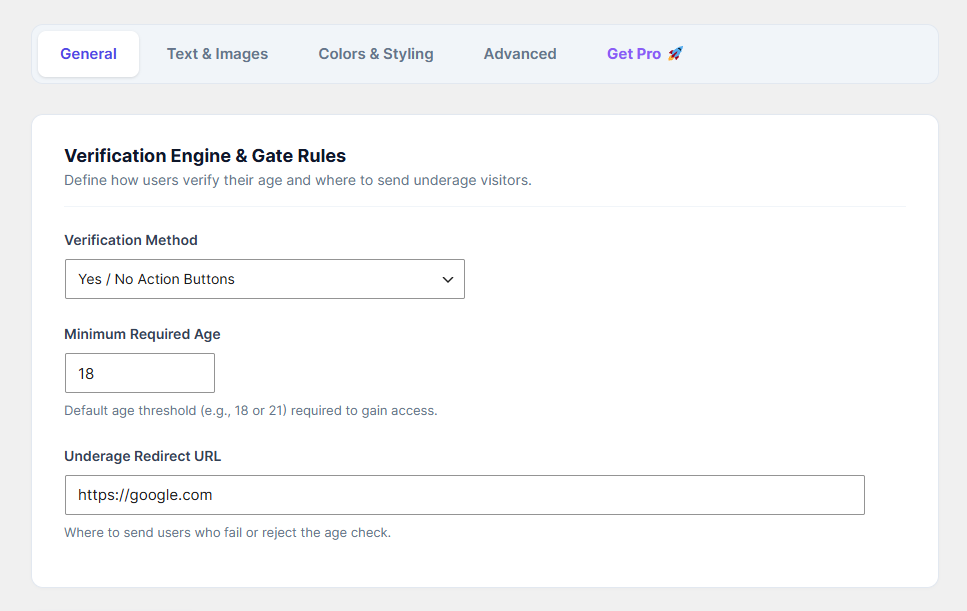
The General tab is the control center for your age gate. Here, you define exactly how the verification engine behaves and who is allowed to enter your website.
How to Configure:
Navigate to Age Verification > General from your WordPress dashboard.
Verification Method: Choose how users will verify their age. In the free version, the standard "Yes / No Action Buttons" method is selected by default.
Minimum Required Age: Enter the legal age required to view your content (e.g.,
18or21).Underage Redirect URL: Enter the full URL (e.g.,
https://google.com) where visitors will be automatically sent if they click the "Exit" or "I am under 18" button.Click the Save Changes button to apply your rules.