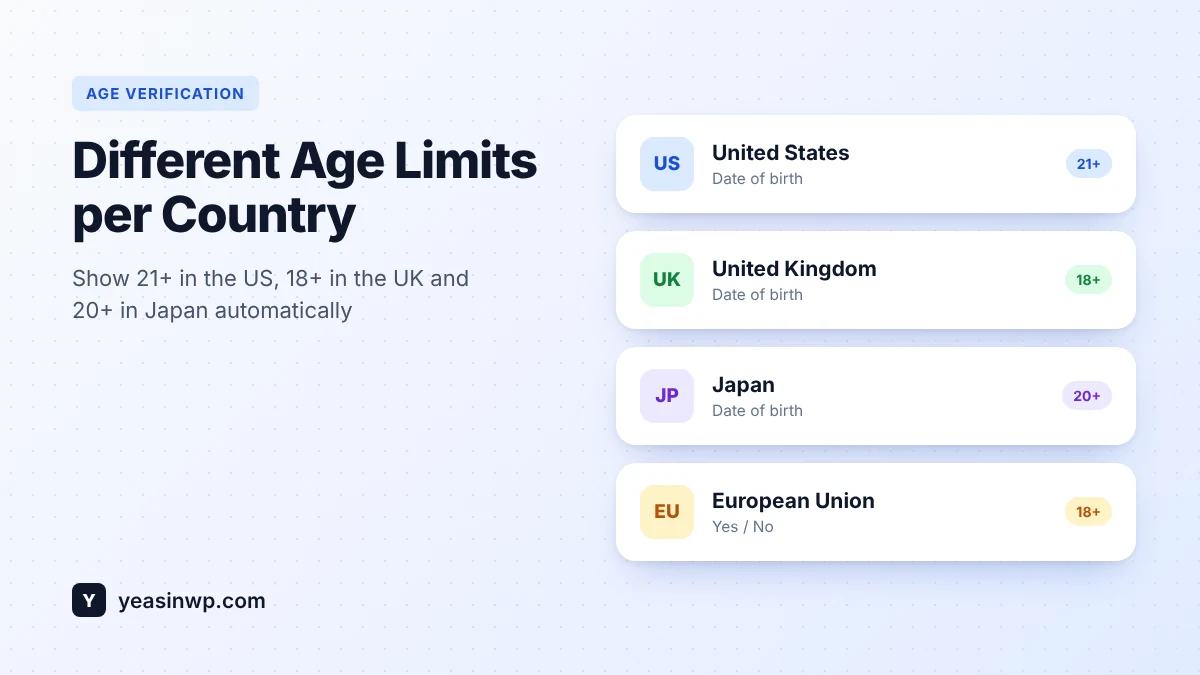
Short answer: WordPress age gates use one minimum age for everyone by default, which is wrong for any store selling across borders. To show 21+ to US visitors, 18+ in the UK and 20+ in Japan, you need an age verification plugin with country rules that detects each visitor's location and applies the right age and check method. Advanced Age Verification Pro does this with region rules for countries, US states and the whole EU.
If your shop sells wine, spirits, vapes or CBD internationally, one fixed age is always a compromise. Set it to 21 and you lose legal adult customers in Europe. Set it to 18 and you are too loose for the United States. This guide shows the most common legal ages, the mistakes that break country detection, and how to set different age limits per country on WordPress.
Why one age limit doesn't work
The legal age to buy alcohol or nicotine products changes from country to country, and sometimes inside a country. A few common examples for buying alcohol:
| Country or region | Common minimum age to buy alcohol |
|---|---|
| United States | 21 in every state |
| Canada | 18 in Alberta, Manitoba and Quebec; 19 in the other provinces and territories |
| United Kingdom | 18 |
| Germany | 16 for beer and wine; 18 for spirits |
| Japan | 20 |
| Most of the EU | 18 |
Tobacco and vape ages differ again. In the US the federal minimum for tobacco and vapes is 21. This table is a starting point, not legal advice: rules differ by product, change over time, and some countries ban certain products completely. Check the current rules for every market you sell to.
What a per-country setup should do
- Different minimum age per country (and per US state or Canadian province where needed).
- Different check method per country. A Yes/No popup might be fine in one market while another expects a date of birth or an ID check.
- Block countries you can't sell to, or show them a polite "not available in your country" page.
- A safe default for visitors whose country can't be detected.
- Work with page caching, so a cached page never shows a German visitor the US rules.
How to set different age limits per country with Advanced Age Verification Pro
- Set your default rule. In General settings, choose the method and age that apply when no special rule matches. Many stores pick 18 with a date of birth as the default. See verification method and minimum age.
- Add region rules. Create rules such as:
- United States → 21+, date of birth
- Japan → 20+, date of birth
- United Kingdom → 18+, ID check for strict content
- European Union → 18+, Yes/No
- Block where you don't sell. Use geo-location rules to block countries or states completely.
- Match your checkout. If you use WooCommerce, the checkout age check follows the same rules, so the age at checkout matches the age at the door.
- Translate the popup. A Japanese visitor seeing a 20+ popup in English is confusing. Pro works with WPML and Polylang, and the date-of-birth picker shows Day, Month and Year in the visitor's own order and language.
Getting country detection right
Region rules are only as good as the location they are based on. Three things to check:
- Real visitor IP. Behind Cloudflare, a load balancer or a reverse proxy, your server may see the proxy's IP. Turn on real IP detection in the security settings.
- Caching. If your caching plugin stores one version of each page, a rule decided on the server can leak to the wrong country. Advanced Age Verification is built to work with WP Rocket, LiteSpeed Cache and Cloudflare, but test each country after setup to be sure.
- Unknown locations. VPNs and some mobile networks hide the real country. Decide whether unknown visitors get your strictest rule or your default. For regulated products, strictest is safer.
Test it before you go live
- Open your site in a private window.
- Use a VPN set to each country you have a rule for, and confirm the correct age and method appear.
- Try a blocked country and confirm the right message shows.
- Check that search engines can still read your pages. See Does an Age Verification Popup Hurt SEO?
Bonus: use your data
Once rules are live, Pro's analytics show pass rates and drop-offs per check. If one market has a much lower pass rate, the age may be set wrong, or the popup may need translating. You can also A/B test wording and design to win back visitors who leave at the gate.
This guide explains how to configure your site. It is not legal advice. Minimum ages and rules for alcohol, tobacco, vape and CBD differ by country and state and change over time.
Sell globally, stay compliant locally
Advanced Age Verification Pro lets you set a different age and check for every country, US state or the whole EU, block markets you don't serve, and keep your WooCommerce checkout in line, all without hurting caching or SEO. Start with the free plugin, and upgrade when you go international. Your settings carry over.