
Region Rules & Strict Content Gating
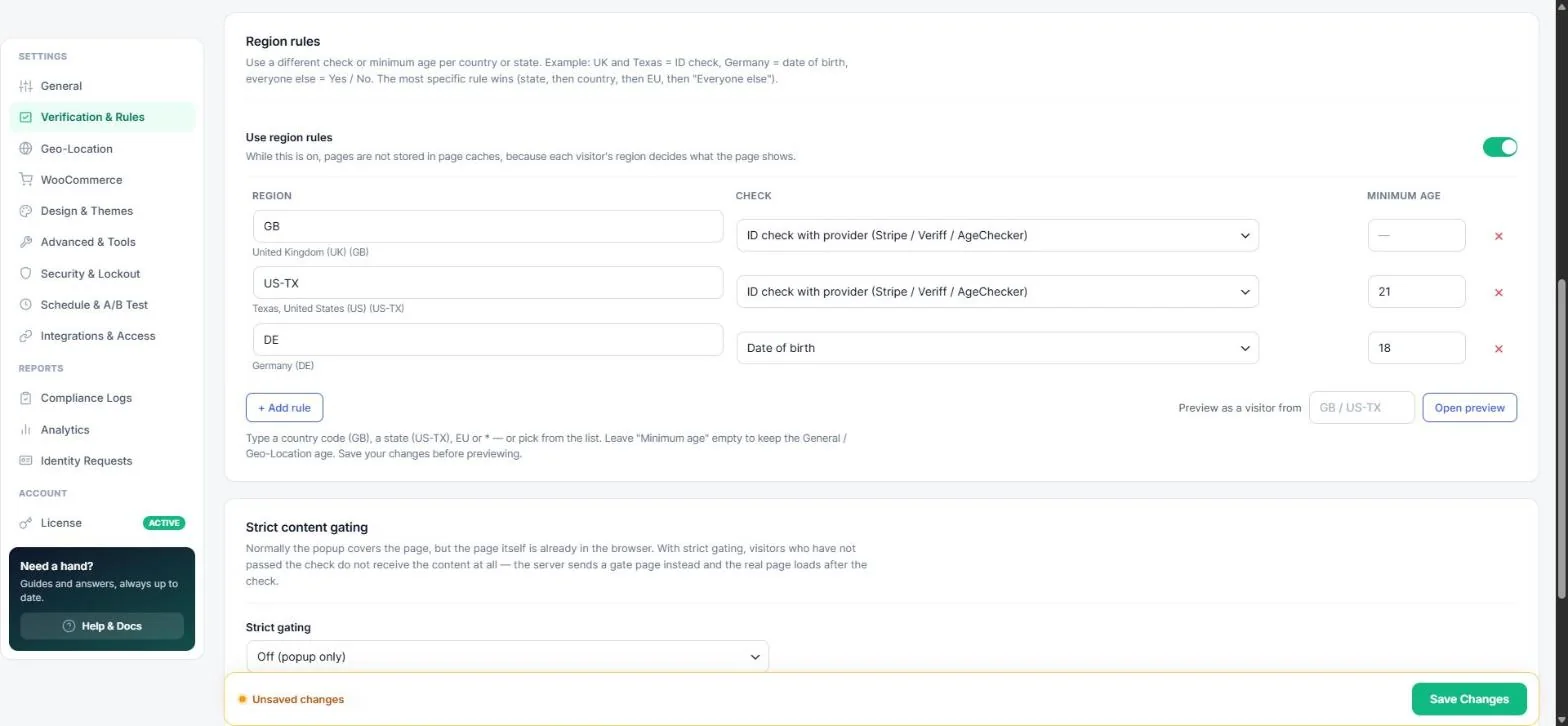
Laws differ by place. Region rules let you use a different check or minimum age per country, US / Canadian / Australian state or the whole EU — for example an ID check for the UK and Texas, date of birth for Germany and simple Yes / No buttons everywhere else. You find them under Age Verification → Verification & Rules.
Add region rules
- Turn on Use region rules.
- Click + Add rule and type a region: a country code (
GB), a state (US-TX),EUfor all 27 EU countries, or*for everyone else. The name appears under the field so you can check it. - Choose the Check: Yes / No, Date of birth, ID upload, ID check with provider, or No check.
- Optionally set a Minimum age for that region (leave empty to keep the General / Geo-Location age).
- Click Save Changes, then use Preview as a visitor from (for example
US-TX) to see exactly what that region gets.
Note: The most specific rule wins — state first, then country, then EU, then “Everyone else”.
Important: Region rules need the visitor's location, so switch on Geo-location. Pages that depend on the region are not stored in page caches.
Example setup
| Region | Check | Minimum age |
|---|---|---|
| GB (United Kingdom) | ID check with provider | — (18) |
| US-TX (Texas) | ID check with provider | 21 |
| DE (Germany) | Date of birth | 18 |
| * (everyone else) | Yes / No | — |
Strict content gating
A normal popup covers the page, but the page itself is already in the browser. With strict gating visitors who have not passed the check do not receive the content at all — the server sends a gate page and the real page loads after the check.
- Off (popup only) — default, fastest.
- Every page where the popup shows — maximum protection.
- Only pages I mark — choose “Strict” in the Age verification box on a page or post (see per-page control).
Tip: Gated pages are never cached and administrators are never gated. Turn on SEO search crawler bypass on the General tab if search engines should still index gated pages.
Read next
Was this guide helpful?