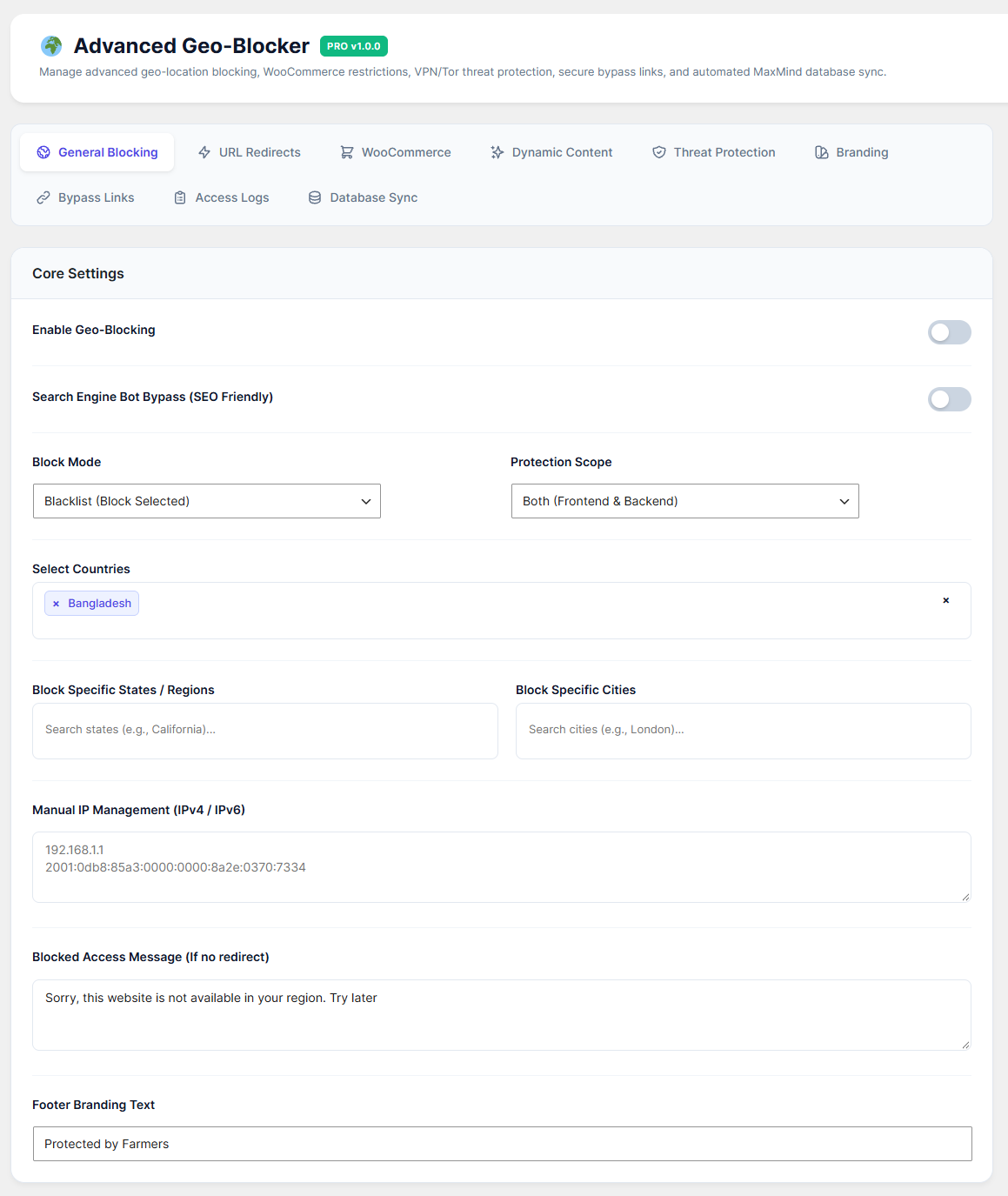
The General Blocking tab is the core of your plugin. Here, you can easily restrict access to your entire website based on a visitor's location.
How to Configure:
Enable Geo-Blocking: Toggle this ON to activate the rules.
Search Engine Bot Bypass: Keep this ON (Highly Recommended). It ensures that Google, Bing, and other search engines can still crawl your site for SEO, even if their servers are in a blocked country.
Block Mode:
Blacklist: Select this to block specific locations (everyone else is allowed).
Whitelist: Select this to ALLOW specific locations (everyone else is blocked).
Protection Scope: Choose whether to protect just the Frontend (visitors), or Both Frontend & Backend (wp-admin).
Select Locations: Use the dropdowns to search and select whole Countries, specific States/Regions, or even individual Cities.
Manual IP Management: Add specific IPv4 or IPv6 addresses here to block them regardless of their country.
Blocked Access Message: Customize the text visitors see when they are blocked from viewing your site.
Click Save Settings.