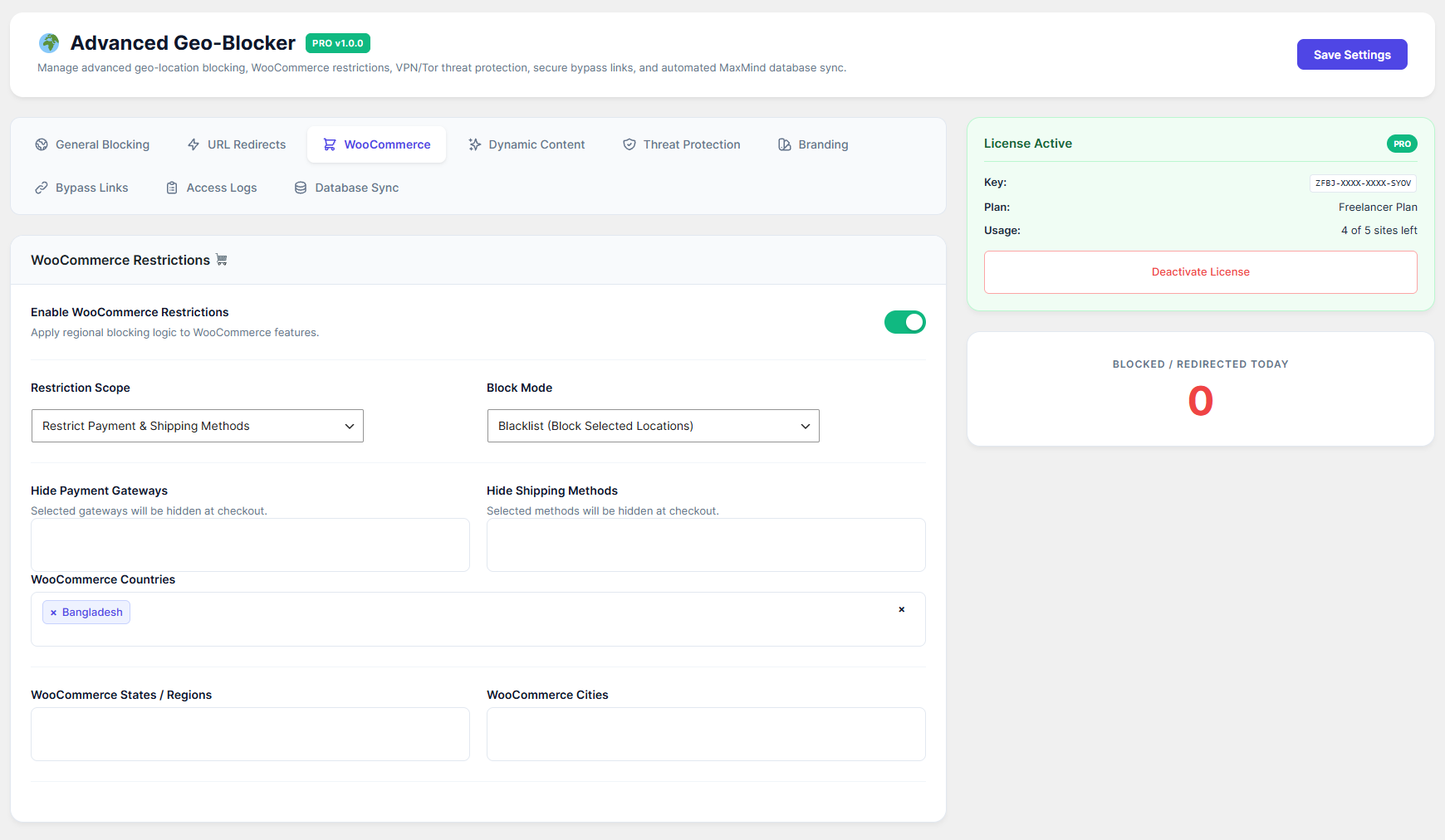
Control exactly who can buy from your store. You can hide specific products, block the entire checkout page, or even hide specific payment/shipping methods based on the customer's location.
How to Configure:
Go to the WooCommerce 🛒 tab and toggle Enable WooCommerce Restrictions to ON.
Restriction Scope: Choose what you want to restrict:
Block Entire Checkout: Stops users in restricted regions from completing any purchase.
Restrict Specific Products: Hides specific products from the shop completely.
Restrict Payment & Shipping Methods: Hides selected gateways (e.g., Stripe) or shipping methods from specific regions.
Select your targets: Depending on your scope, select the products, payment gateways, or shipping methods you want to hide.
Choose Locations: Select the Countries, States, or Cities that should be restricted.
WooCommerce Restriction Message: Customize the error message shown on the cart/checkout page if a user is blocked.
Click Save Settings.