Protect your website from malicious bots, hackers hiding behind VPNs, and server-crashing DDoS attacks.
How to Configure:
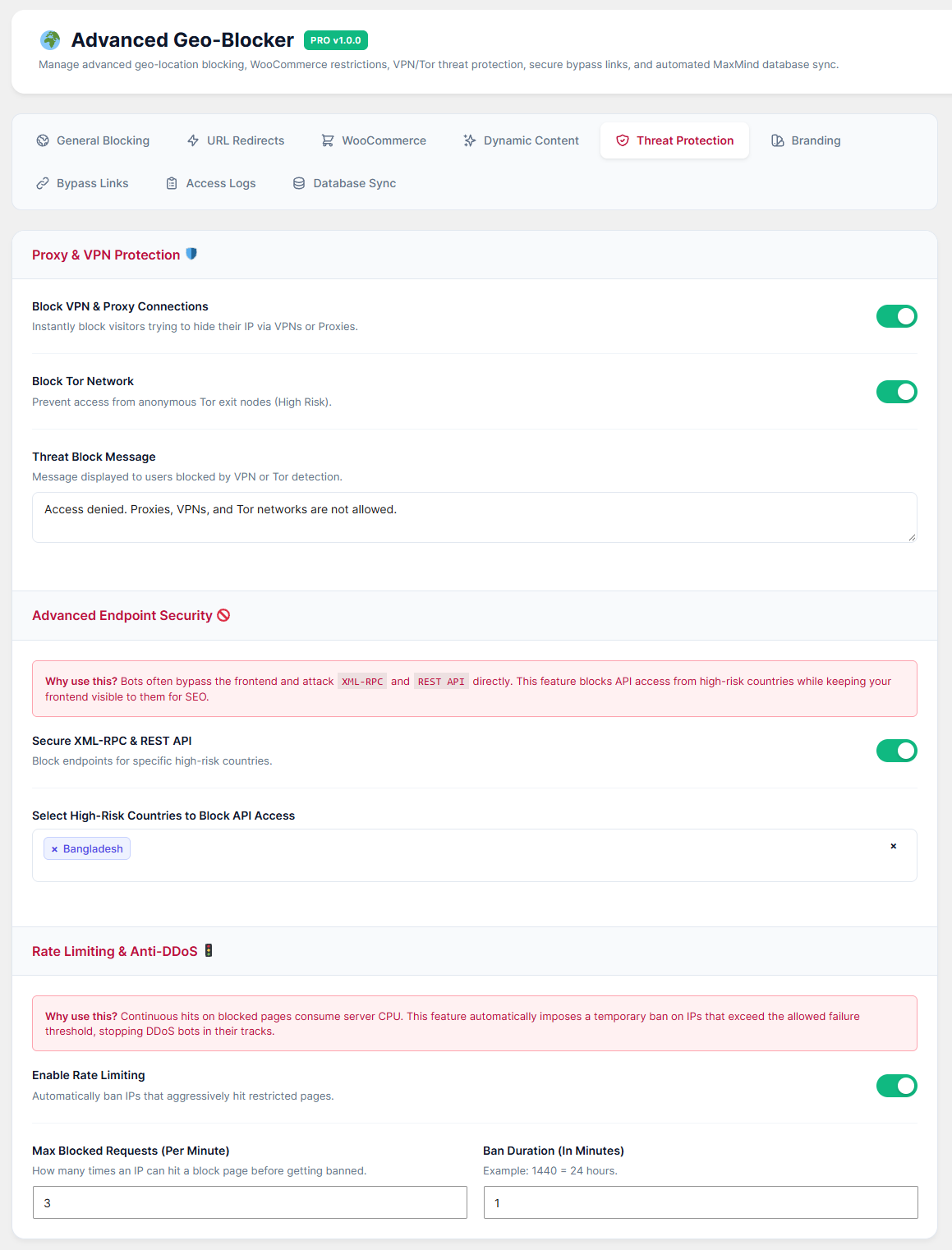
Go to the Threat Protection 🛡️ tab.
Proxy & VPN Protection: Toggle ON to block visitors trying to mask their location using VPNs or Tor browsers.
Advanced Endpoint Security: Toggle ON to block REST API and XML-RPC access for high-risk countries. Why? Bots attack these hidden endpoints. This blocks the bots but keeps your website visible for SEO.
Rate Limiting & Anti-DDoS: Toggle ON to automatically ban IP addresses that aggressively hit your blocked pages.
Max Blocked Requests: Set how many times an IP can hit a blocked page (e.g., 20 times a minute).
Ban Duration: Set how long they are banned (e.g., 1440 minutes = 24 hours). If they trigger the limit, they receive a 429 Too Many Requests error, saving your server CPU.
Click Save Settings.