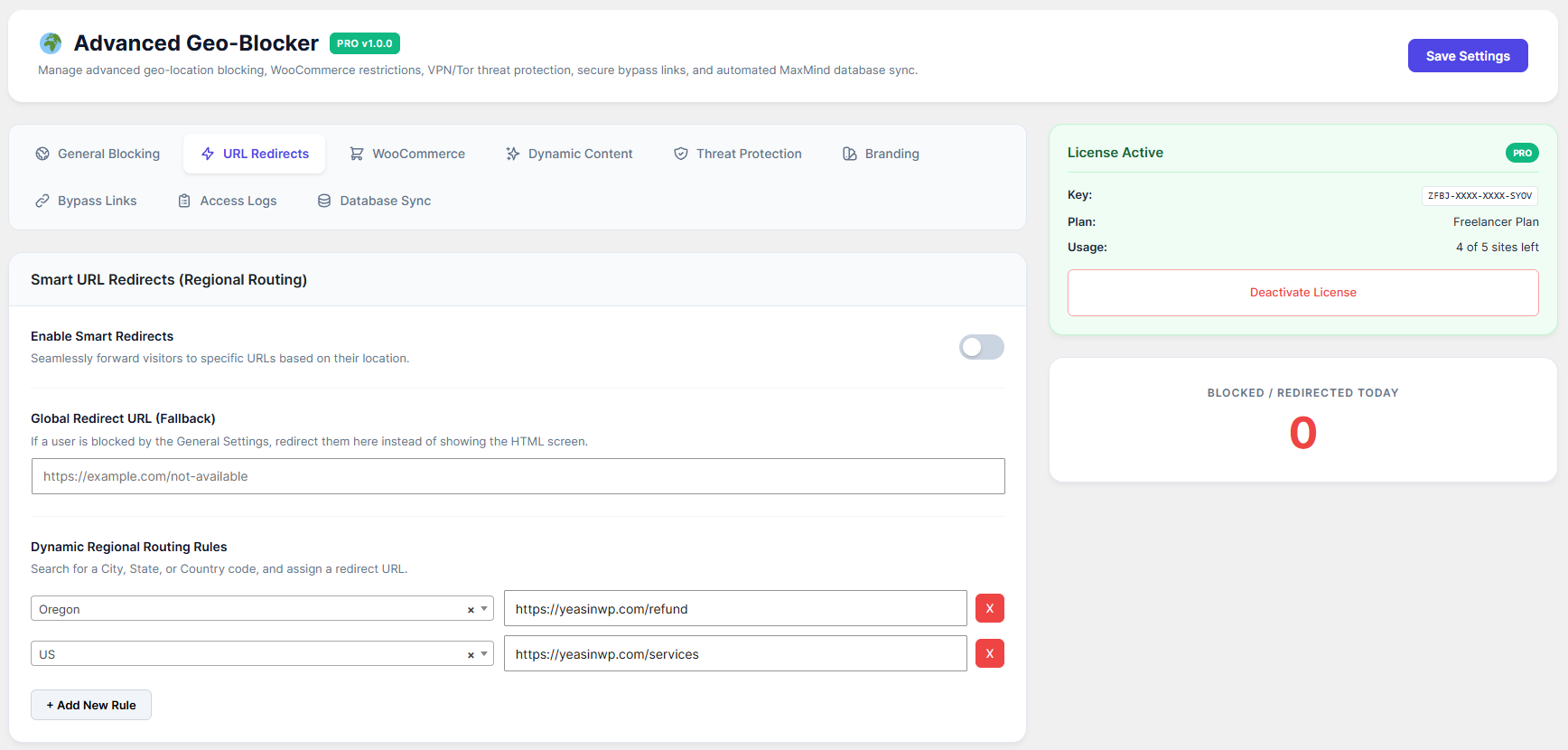
Instead of showing a blocked error message, you can seamlessly redirect visitors from specific regions to different URLs (like a local store or a partner website).
How to Configure:
Go to the URL Redirects tab.
Enable Smart Redirects: Toggle this ON.
Global Redirect URL (Fallback): If a user is blocked by your General Settings, they will be redirected to this link automatically instead of seeing the "Access Restricted" screen.
Dynamic Regional Routing Rules:
Click + Add New Rule.
Select a specific City, State, or Country from the left dropdown.
Enter the destination URL on the right.
Example: Send visitors from "US" to
https://yoursite.com/us-store.
Click Save Settings.