
Integrations & API
Pro feature
REST API Reference
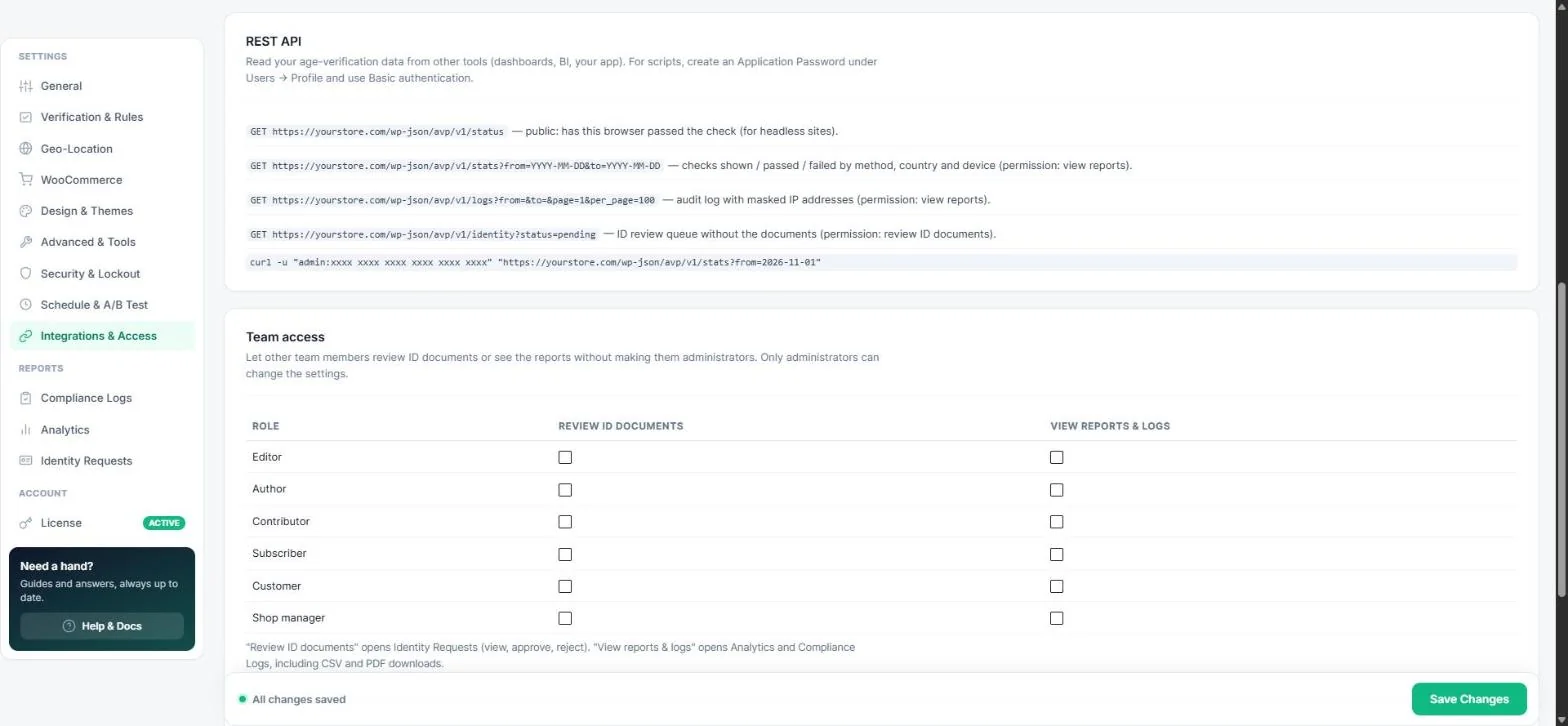
Read your age-verification data from dashboards, BI tools or your own app. All endpoints live under /wp-json/avp/v1/ and return JSON.
Authentication
- In WordPress open Users → Profile → Application Passwords, enter a name and click Add New.
- Use Basic authentication with your username and that password.
curl -u "admin:xxxx xxxx xxxx xxxx xxxx xxxx" \
  "https://yourstore.com/wp-json/avp/v1/stats?from=2026-11-01&to=2026-11-30"
The user needs the matching permission — administrators always have it; other roles can get it under Team access.
Endpoints
| Endpoint | Returns | Permission |
|---|---|---|
GET /status | Whether the current browser has passed the check — for headless / decoupled sites. | Public |
GET /stats?from=&to= | Checks shown, passed and failed by method, country and device. | View reports |
GET /logs?from=&to=&page=1&per_page=100 | The audit log with masked IP addresses. | View reports |
GET /identity?status=pending | The ID review queue (without the documents). | Review ID documents |
Dates use the format YYYY-MM-DD. Without a valid login the protected endpoints answer 401 / 403.
Tip: For push notifications instead of polling, use webhooks.
Read next
Was this guide helpful?
Thanks for your feedback!