
Integrations & API
Pro feature
Team Access & WordPress Multisite
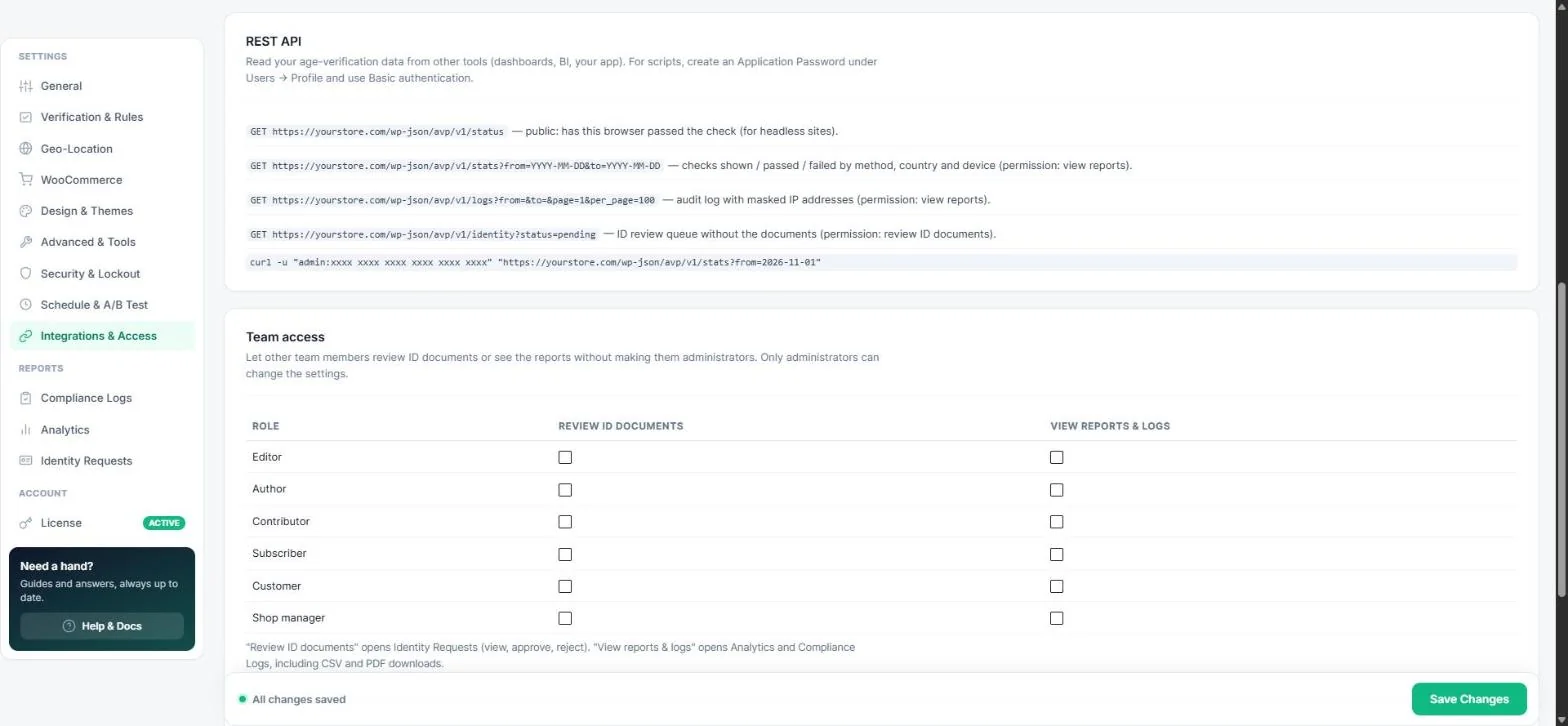
Let staff review ID documents or see reports without giving them full administrator rights — and manage the plugin across a WordPress multisite network.
Give team members access
- Open Integrations & Access → Team access.
- For each role, tick Review ID documents and / or View reports & logs.
- Save.
| Permission | Opens |
|---|---|
| Review ID documents | Identity Requests — view, approve and reject documents (and the /identity REST endpoint). |
| View reports & logs | Analytics and Compliance Logs, including CSV and PDF downloads (and the /stats and /logs endpoints). |
Note: Only administrators can change the plugin settings. For developers the capabilities are called avp_review_ids and avp_view_reports.
Multisite networks
On a multisite network every site has its own settings. Super Admins get a network page at Network Admin → Settings → Age Verification:
- Copy settings — pick a source site and copy its configuration to every other site in one click.
- Lock settings — only Super Admins can change age-verification settings; site admins keep access to reports and ID reviews.
Tip: Set up one site perfectly, copy it to the network, then lock it.
Read next
Was this guide helpful?
Thanks for your feedback!