
IP Detection: Cloudflare, CDNs & Reverse Proxies
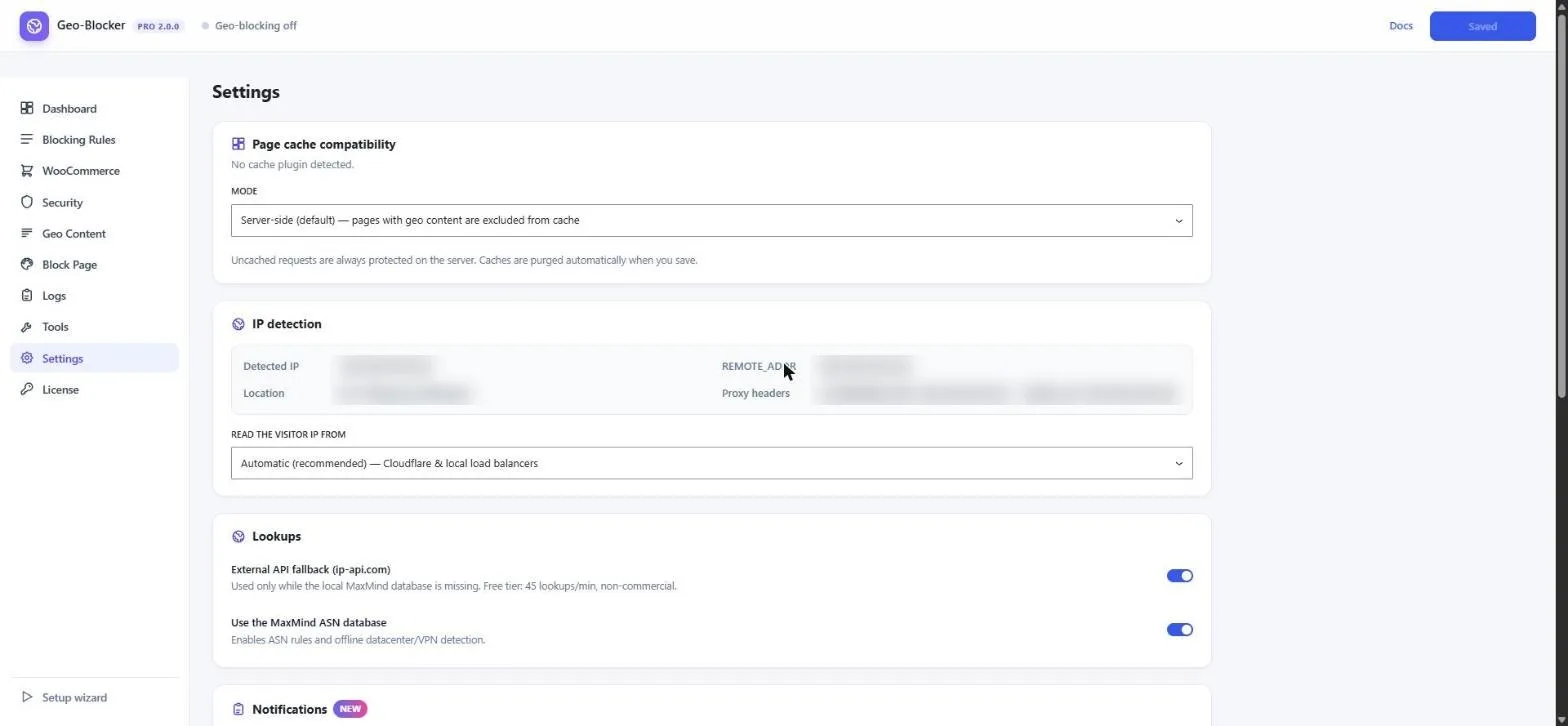
Geo-blocking is only as good as the IP address it sees. Behind Cloudflare, a CDN or a load balancer, PHP's REMOTE_ADDR is the proxy's address, not the visitor's. Headers like X-Forwarded-For carry the real IP – but anyone can fake them. Geo-Blocker Pro only trusts them when the request really comes from a proxy.
Check your setup
Open Settings → IP detection. The box shows your detected IP, REMOTE_ADDR, your detected location and any proxy headers. If the detected IP is your real public IP (compare with whatismyip.com), you're done.
Modes
Automatic (recommended) – uses
CF-Connecting-IPonly whenREMOTE_ADDRbelongs to Cloudflare's published IP ranges, andX-Forwarded-Foronly whenREMOTE_ADDRis a private address (a local load balancer / reverse proxy). OtherwiseREMOTE_ADDRis used. Works for most hosts, including Hostinger, SiteGround, Kinsta and Cloudflare.Cloudflare only – like automatic but never trusts X-Forwarded-For.
REMOTE_ADDR only – no proxy at all.
Custom header – for other CDNs (Sucuri, Fastly, Akamai, StackPath, a custom Nginx proxy…). Enter the header name (e.g.
X-Real-IP,True-Client-IP) and the proxy's IP ranges under Trusted proxy IPs / CIDR. Leaving the trusted list empty trusts the header from anyone – avoid that.
Admin warning
If the plugin sees proxy headers that it isn't using, a notice appears in wp-admin: "Your site seems to be behind a proxy/CDN…" with a link to this setting.
Why this matters
Before 1.1, the plugin trusted X-Forwarded-For from anyone, so a blocked visitor could add one header and appear to be in another country. That is no longer possible.
Developers
Filter the final value with ygb_visitor_ip (args: $ip, $remote_addr, $mode) and Cloudflare ranges with ygb_cloudflare_ranges.
Was this guide helpful?