
Page Cache Compatibility (Cache-Safe Mode)
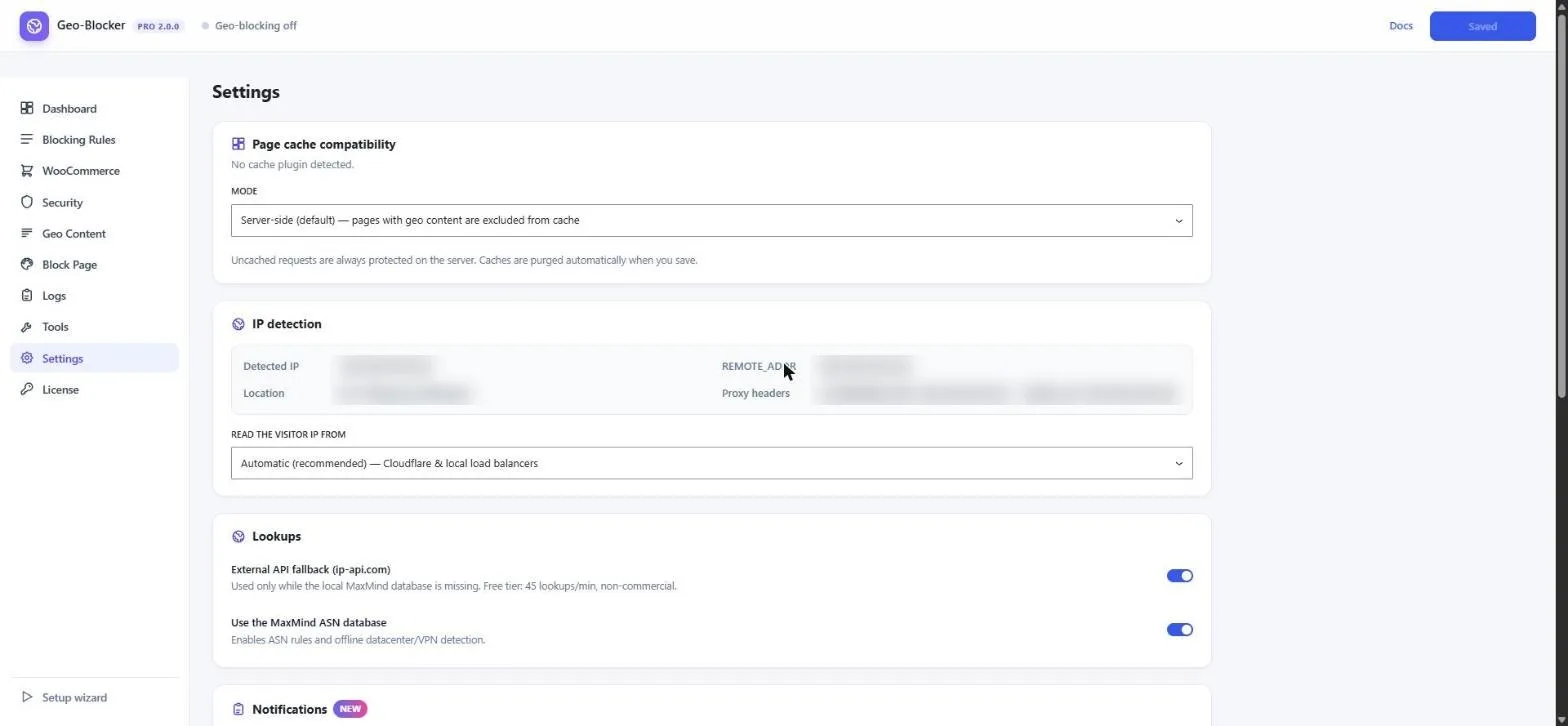
Page caches (WP Rocket, LiteSpeed, W3 Total Cache, Cloudflare APO, host caches…) serve a stored HTML copy without running PHP. Geo-blocking needs to know who is visiting, so Geo-Blocker Pro gives you two modes. Choose under Settings → Page cache compatibility.
Mode 1: Server-side (default)
Every uncached request is checked on the server before WordPress renders anything.
Block pages, challenge pages and redirects are sent with no-cache headers, so they are never cached.
Pages that contain geo content (shortcode, Gutenberg/Elementor visibility, geo pricing, per-page rules) are automatically excluded from page cache (
DONOTCACHEPAGE).
Best for: sites without a page cache, or where geo-blocking protects wp-admin / login (never cached).
Limitation: a fully cached page can be served to a blocked visitor by the cache before PHP runs.
Mode 2: Cache-safe JavaScript mode
Every page includes a tiny script (≈2 KB) that asks
/wp-json/ygb/v1/check– an uncached endpoint – what to do.Blocked visitors get the block page, challenged visitors the challenge page, redirected visitors are redirected – even on fully cached pages.
Geo content is delivered hidden and revealed in the browser for the right visitors, so geo pages can be cached again.
Anti-flicker (optional) hides the page for up to 2.5 s until the check answers, so blocked visitors don't see a flash of content. If the check fails, the page is shown (fail-open).
Uncached requests are still protected server-side as well.
Best for: sites with full-page caching or a CDN.
Keep in mind: JavaScript mode is a front-end check – people who disable JavaScript or scrape the cached HTML can still read it. For truly private content use server-side mode with page caching excluded on those URLs.
Automatic cache purge
Every time you save settings, Geo-Blocker Pro clears: WP Rocket, LiteSpeed Cache, W3 Total Cache, WP Super Cache, WP Fastest Cache, SiteGround Optimizer, Breeze, WP-Optimize, Autoptimize and NitroPack. You can also click Tools → Maintenance → Purge page cache. Developers can hook ygb_purge_cache for other caches.
Cloudflare
Real visitor IPs are detected automatically from Cloudflare (see IP Detection). If you use Cloudflare page caching (APO / Cache Everything), use cache-safe mode.
Was this guide helpful?