
WooCommerce Geo Pricing
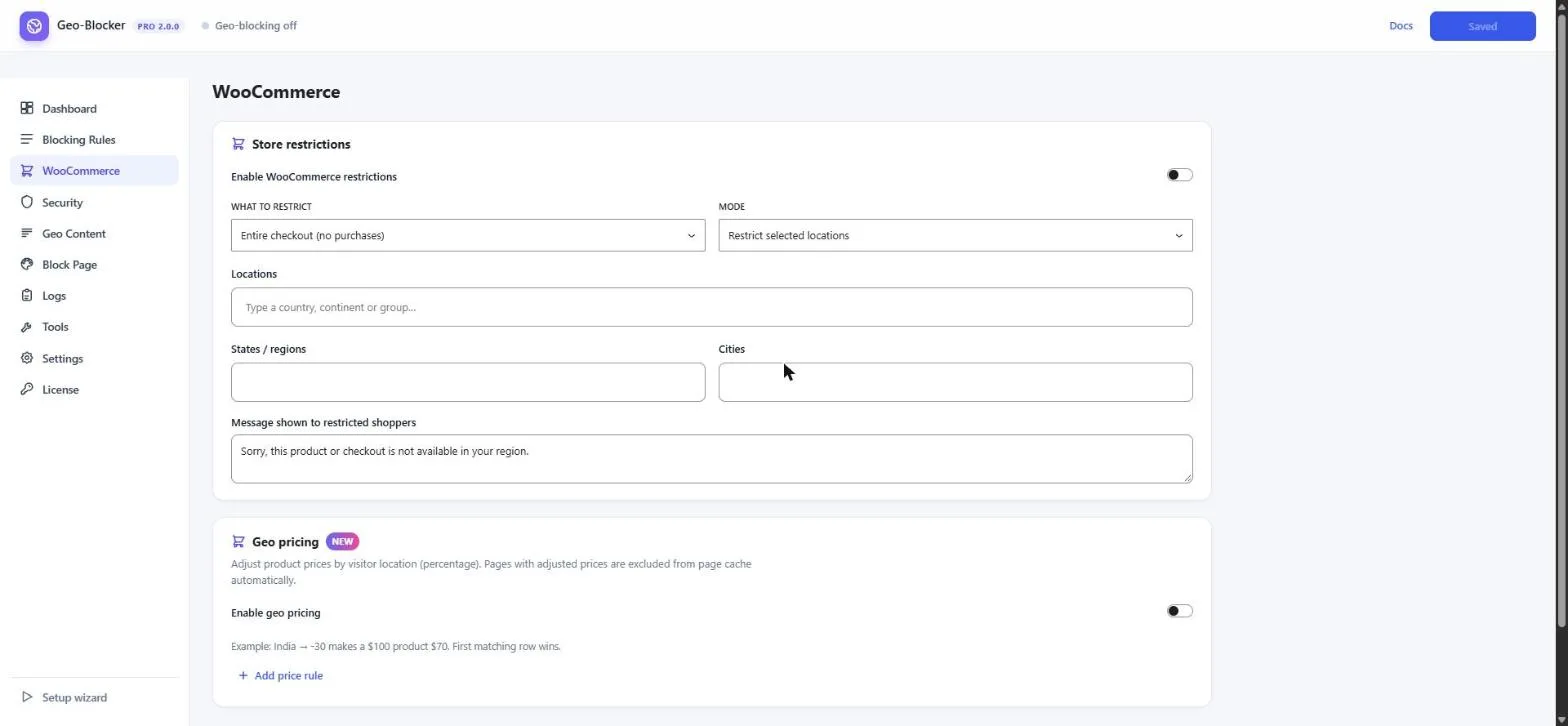
Charge different prices by visitor location – lower prices for emerging markets, a surcharge where shipping costs more – without duplicating products.
Set it up
Go to Geo-Blocker → WooCommerce → Geo pricing and switch on Enable geo pricing.
Click Add price rule, pick locations (countries, continents or groups) and enter a percentage:
-30→ 30% cheaper (a $100 product shows $70)15→ 15% more expensive
Add as many rows as you need – the first matching row wins, so put specific countries above broad groups.
Save.
What is adjusted
Regular, sale and active price of simple and variable products (including the variation price range).
Cart, checkout and order totals – because WooCommerce reads the adjusted product price.
Prices are rounded to your store's decimal setting. Limits: −90% to +500%.
What is not changed
The currency (prices stay in your store currency). For currency switching use a currency plugin; geo pricing works alongside it.
Prices in wp-admin and emails generated by admins.
Visitors whose location can't be detected see normal prices.
Caching
Whenever a visitor gets an adjusted price, that page is automatically excluded from page caching so no other visitor sees the wrong price. Product price caches (variation price hash) include the adjustment as well.
Fair use
Show customers that prices depend on their region (e.g. a note on product pages via the [yeasin_geo] shortcode) and check consumer-law rules in the markets you sell to.
Was this guide helpful?