
Rule Simulator, Import/Export & Maintenance Tools
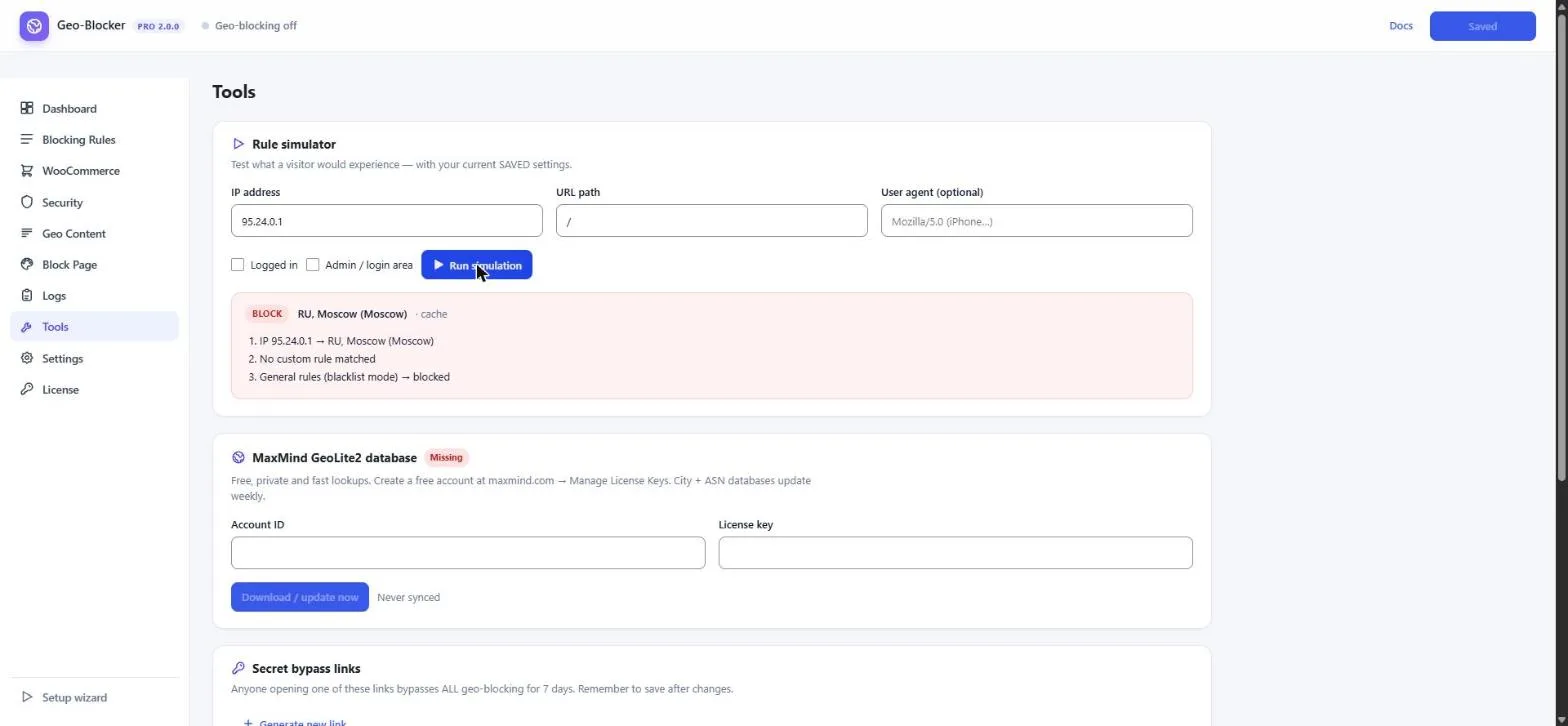
Geo-Blocker → Tools collects everything you need to test, move and maintain your setup.
Rule simulator
See exactly what any visitor would get – without a VPN.
Enter an IP address (e.g.
95.24.0.1for Russia,8.8.8.8for the US).Optionally a URL path (
/checkout/,/wp-login.php), a user agent (to test device and bot rules), Logged in + role, and Admin / login area.Click Run simulation.
The result shows the decision (ALLOW / BLOCK / REDIRECT / CHALLENGE), the detected location and network (ASN), which lookup engine answered, and a step-by-step trace – e.g. IP → RU, Moscow · No custom rule matched · General rules (blacklist mode) → blocked. It also warns if the IP is currently rate-limit banned or locked out of wp-login. The simulator uses your saved settings.
MaxMind database
Enter your Account ID and License Key and click Download / update now. See MaxMind GeoLite2 Database Setup.
Secret bypass links
Generate, copy and revoke links. See Secret Bypass Links.
Import / export
Export settings downloads a JSON file with all settings and custom rules. Secret keys (MaxMind key, Turnstile secret, proxycheck key) are never exported; bypass tokens are.
Import settings… replaces your settings with a file from another site. Your license and secret keys are kept. Great for agencies setting up many client sites.
Maintenance
Purge page cache – clears all supported cache plugins.
Unban / unlock – removes a rate-limit ban and a login lockout for an IP.
WP-CLI
All of the above is also available from the command line – see WP-CLI, Hooks & PHP API.
Was this guide helpful?