
What's New in 2.0 & Upgrading from 1.x
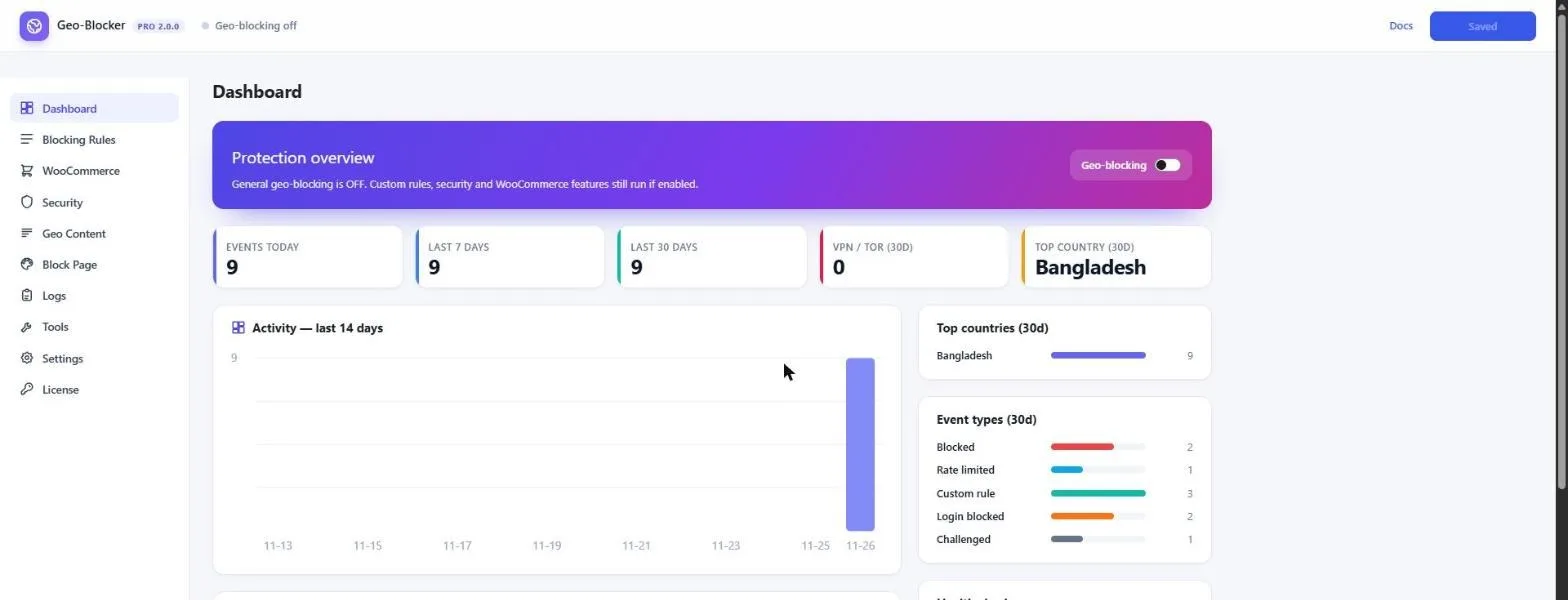
Version 2.0 is a complete rebuild of Geo-Blocker Pro – a new admin, a new rule engine and many new protections. Your existing configuration is migrated automatically.
Highlights
New admin – Dashboard with charts and a health check, separate pages (Blocking Rules, WooCommerce, Security, Geo Content, Block Page, Logs, Tools, Settings, License), a setup wizard, sticky Save button and Ctrl/Cmd + S.
Rule Builder – combine 13 condition types (country, state, city, IP/CIDR, ASN, URL, referrer, user agent, device, login state, role, language, VPN) with Block, Redirect (301/302/307), Challenge or Allow.
Geo content everywhere – Gutenberg "Geo Visibility" panel, Elementor controls, per-page restrictions and the improved shortcode.
Cache-safe mode – works with fully cached pages; automatic cache purge for 10+ cache plugins.
Security – login protection (country allow-list + lockouts), challenge page (proof-of-work or Cloudflare Turnstile), MaxMind ASN database, rule simulator.
Growth – WooCommerce geo pricing, weekly email reports, spike alerts and webhooks, import/export, WP-CLI, multisite.
Block page – 7 templates with live desktop/mobile preview, title, button and logo.
Important fixes since 1.0.x
The MaxMind database is now actually used (1.0.x always fell back to an external API).
Visitors can no longer fake their IP with
X-Forwarded-For; Cloudflare is detected safely.VPN/Tor blocking now protects the whole site, not only WooCommerce.
Adding a manual IP no longer disables country rules.
The MaxMind database survives plugin updates.
How to upgrade
(Recommended) take a backup.
Update from Dashboard → Updates or upload the new zip (Plugins → Add New → Upload → "Replace current with uploaded").
Open Geo-Blocker. All settings, countries, states, cities, IP lists, redirects, WooCommerce options, branding and bypass links are already there. Old access logs are moved into the new log table.
Check the Health check on the Dashboard. If the MaxMind database shows "missing", add your free key under Tools.
Behaviour changes to know
Rate limiting now counts every page request (1.x counted only blocked pages). Existing limits below 60/minute are raised to 60.
VPN/Tor toggles now apply site-wide within your protection scope.
Allow-list mode with nothing selected blocks nobody (1.x blocked everyone).
Custom rules apply everywhere including wp-login, independent of the protection scope.
The settings are stored in one option (
ygb_settings); old options are kept so you can roll back.
Rolling back
Re-install 1.1.0 from your account if needed – old options were not deleted. New 2.0-only settings (rules, templates…) are simply ignored by older versions.
Was this guide helpful?